
Krakatoa Mesh Tag
Introduction
- The Krakatoa Mesh Tag can be used to define a geometry object as a Matte (Holdout) object. Matte objects occlude particles when rendering, and also block light when calculating the volumetric lighting. The Krakatoa Mesh Tag lets you exclude the geometry from either the Final Pass (Camera) calculations or the Lighting Pass calculations on a per-object basis.
Creation
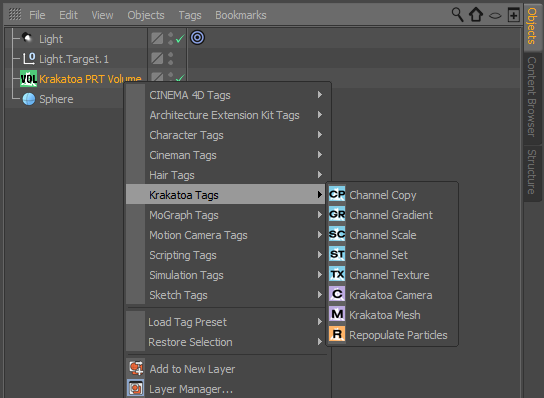
- To add a Krakatoa Mesh Tag, select a CINEMA 4D object, right-click it and select (New Tag) > Krakatoa Tags > Krakatoa Mesh.

User Interface

Setup panel
Visible To Camera checkbox
- When checked (default), the geometry will occlude particles that are partially or fully behind it as seen from the camera view. If saving an occluded particles channel is enabled in the output settings, occluded particles will be drawn in the occluded particles channel, while unoccluded ones will be drawn to the RGB beauty output.
- When unchecked, the geometry will be ignored by the camera when drawing the Final Pass.
Visible To Lights checkbox
- When checked (default), the geometry will occlude particles that are partially or fully behind it as seen from a light’s point of view. This will block the light and cast a shadow on any particles behind the geometry object.
- When unchecked, the geometry will be ignored by all lights when calculating the Lighting Pass and now shadows will be cast.
